Usage
Starting
Start the engine without its own interface, with a JSON-RPC port, then the interface:
guitarix -N -p 7000 &
guitariqx -p 7000                # or: guitariqx -H raspberrypi.local -p 7000
The engine and the interface can run on different computers, e.g. the engine on a Raspberry Pi attached to the audio interface and guitariqx on a laptop or tablet.
| option | |
|---|---|
-H, --host HOST |
engine host (default: the last engine connected to, else localhost) |
-p, --port PORT |
engine port (default: the last one, else 7000) |
-f, --fullscreen |
full screen, for touch screens |
--skin NAME |
gx_head skin for this session, "" for the flat look (default: the one chosen in the menu) |
--size WxH |
initial window size (default: the size, or maximized state, of the last session, else 1280x800) |
--dump |
print connection, preset and rack changes on the terminal |
--screenshot FILE |
save a screenshot after --screenshot-delay ms and quit (testing) |
--debug-state LIST |
open UI states for testing without instrument or MIDI device, see Development |
The connection indicator at the right of the top bar opens the connect
dialog. "Full screen" in the top bar menu (⋮), or F11, switches between
full screen and a window at any time (not under eglfs or linuxfb, which
are always full screen). guitariqx reconnects by itself when the engine restarts.
guitariqx remembers the last engine, the window size and the tuner's "mute
while tuning" option, with the recent folders of the file chooser, in
~/.config/guitarix/guitariqx.conf.
Security
The engine's JSON-RPC port has no authentication: whoever can reach it can control the engine, list directories and read audio files of its computer. Do not make it reachable from untrusted networks.
Raspberry Pi
guitariqx runs under the desktop, or without one directly on the display:
QT_QPA_PLATFORM=eglfs guitariqx -f -p 7000
Below 1100 pixels width (e.g. the official 7" 800x480 touch screen) the racks are shown as tabs and the preset list as a drawer, and rack units too wide for the screen wrap their controls onto several rows. All interactive items are at least 40 pixels for touch use.
Without a physical keyboard, the desktop's on-screen keyboard (squeekboard
on Raspberry Pi OS) pops up when a text field gets the focus, and again on a
tap into the field after closing it. guitariqx asks for it over D-Bus
(sm.puri.OSK0, with busctl), as Qt before 6.7 (Bookworm has 6.4) cannot
make it appear by itself; on short screens the name dialogs open at the top,
above it. The keyboard cannot show over a full screen window, so
guitariqx leaves full screen (for a maximized window) while it is shown.
GUITARIQX_SYSTEM_KEYBOARD=1 shows it even with a physical
keyboard, =0 never. There is no on-screen keyboard under eglfs.
To try it without a sound card, run the engine against a dummy JACK server
(jackd -ddummy) or PipeWire's JACK (pw-jack guitarix -N -p 7000).
Presets
The preset list shows the banks and their presets; a tap loads a preset, the arrows of the top bar step through the bank. Save writes the current settings into the loaded preset, Save as into a new or existing preset of any writable bank.
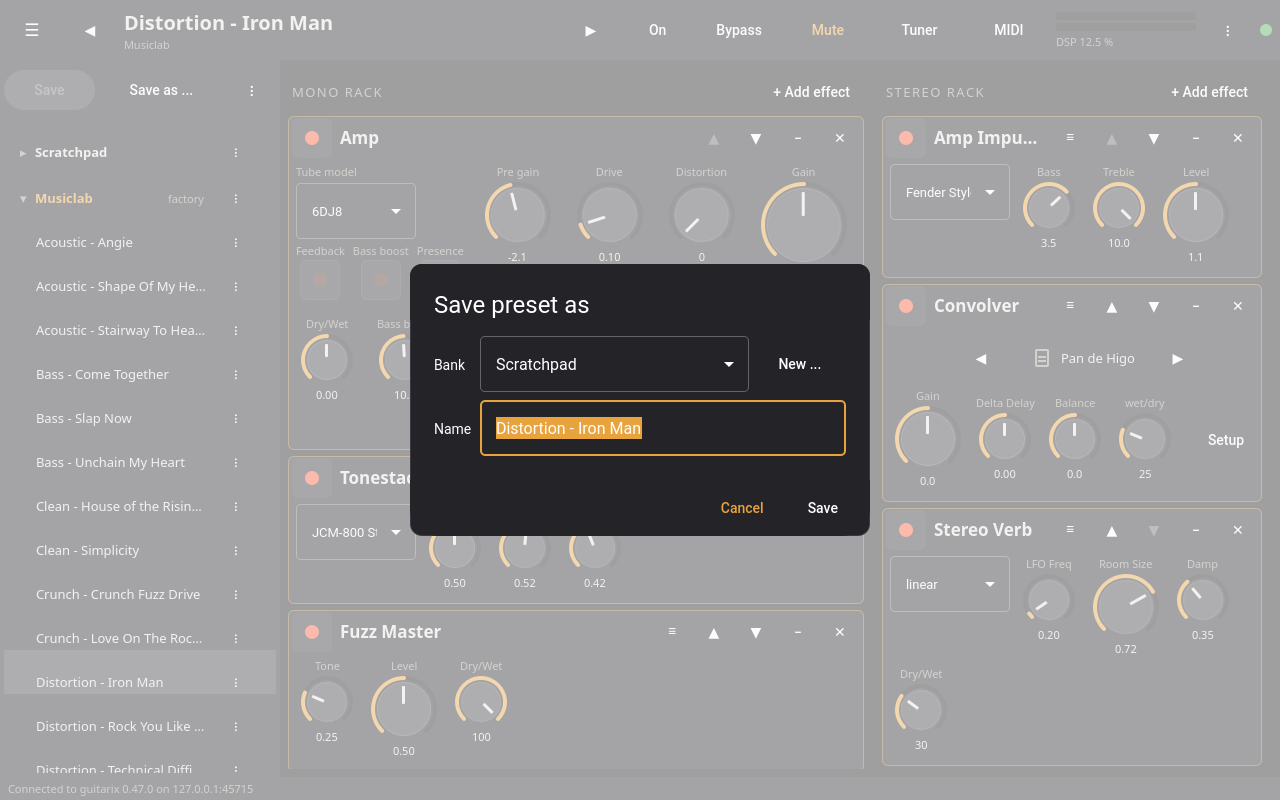
The ⋮ menu of a preset saves into it, renames, copies it to another bank,
moves it or deletes it; the one of a bank creates, renames, moves, deletes
or saves the bank to a file. Factory banks are read only, but their
presets can be copied. "Load bank file" in the ⋮ menu of the list imports a
.gx file as a new bank. Bank files are on the computer guitariqx runs on,
also when the engine runs elsewhere.
Restoring the last preset
The engine saves its state only after 10 to 30 seconds without change, so
after a power cut (a pedalboard unplugged) or a crash it comes back with an
older preset. So guitariqx saves the current preset on every change,
whoever changes it (this interface, another one, a MIDI controller), and
loads it again each time it connects to that engine. Restore last
preset in the menu (⋮), on by default, switches this off and on. It is kept in ~/.local/share/guitarix/guitariqx/last-preset.json,
replaced atomically: a power cut at any moment leaves the previous preset or
the new one. A preset that no longer exists is not loaded. Changes made
while guitariqx is not running are not seen: its next start brings its own
last preset back.
Saving preset changes
Save preset changes in the menu (⋮), on by default, saves the current preset by itself: 2 seconds after the last change, and before guitariqx loads another preset or quits. Every change counts, whoever makes it (this interface, another one, a MIDI controller, a unit preset), including the rack's units and, with MIDI in presets, the MIDI assignments. A preset that is back to its saved settings is not written again, and presets of read only banks (the factory ones) are never saved: use Save as. Changes made less than 2 seconds before another interface or a MIDI program change loads a preset are not saved. To try settings without keeping them, switch the option off or work on a copy: with the option on, Save as stores the changes under the new name, but the original preset already has them when they were made more than 2 seconds before.
Generating a preset
"Generate a preset" in the ⋮ menu asks a language model for the sound of a song, an artist or a style ("the second solo of Comfortably Numb"). The model chooses rack units and their settings from those of the connected engine, and guitariqx applies them at once: the units the user can add or remove are replaced by the model's choice and the amplifier is set. The result is saved as a new preset of the bank chosen in the dialog (the current bank by default, or one made with New ...) and becomes the current preset: the preset loaded before is not saved over. The preset is named by the model, with a number added if the bank already holds that name; it can be renamed in the preset list. The model's choices are checked first: unknown units or parameters are skipped and listed. Units that need a file (neural models, impulse responses) and the looper, sequencer, recorders, meters and oscilloscope are not offered to the model.
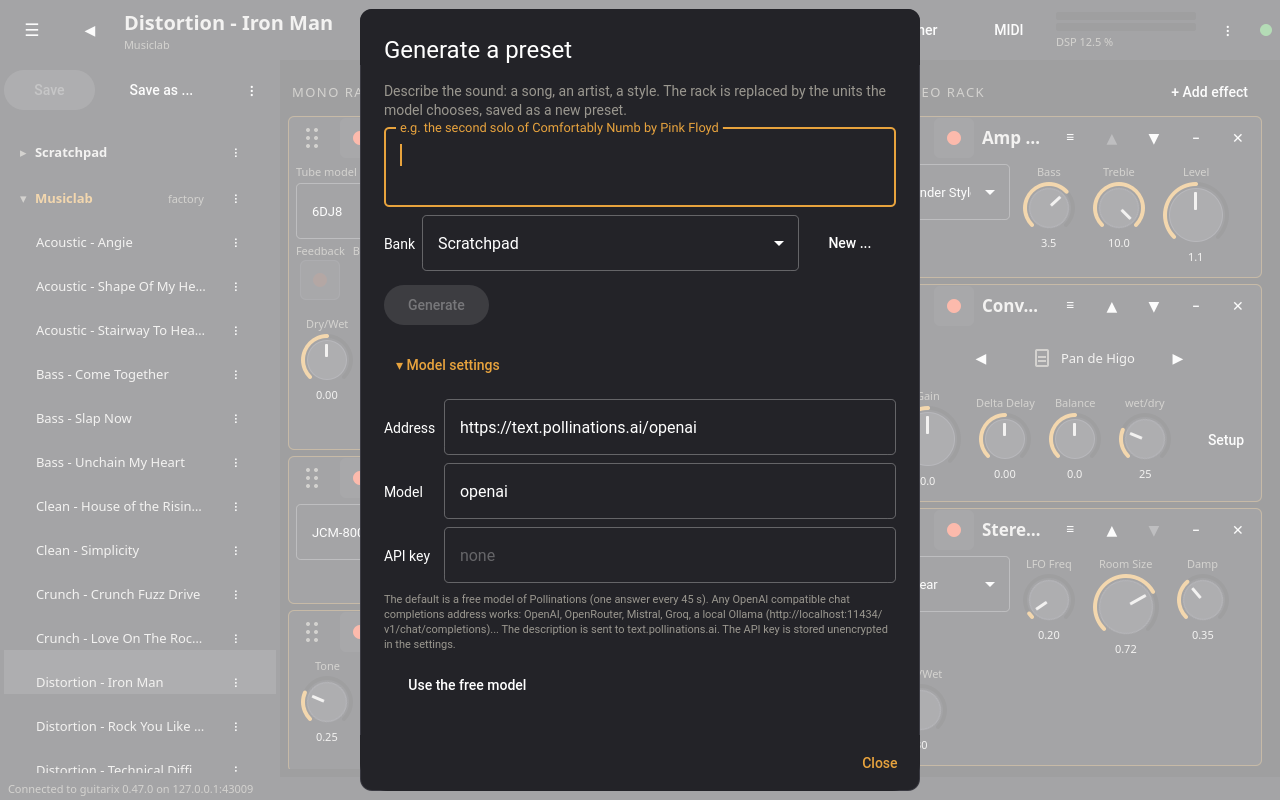
By default it uses a free model of Pollinations,
which needs no account but gives one answer every 45 seconds per address.
Under "Model settings", any service with an OpenAI compatible chat
completions API can be used instead, with its address, model name and API
key: OpenAI (https://api.openai.com/v1/chat/completions), OpenRouter,
Mistral, Groq, or a model running locally with Ollama
(http://localhost:11434/v1/chat/completions, no key). "Use the free
model" goes back to the default. The description and the list of the
engine's units are sent to that service; nothing is sent before
Generate is tapped. The API key is stored unencrypted in guitariqx's
settings file (~/.config/guitarix/guitariqx.conf).
Generating drums
"Generate drums" in the ⋮ menu, or Generate… in the drum sequencer, asks the same model (same settings) for the drum part of a song to play along with. The text starts as the name of the current preset, so that a preset named after a song gets its drums in one tap; it can be changed to any song or style. The model chooses the tempo, the steps per beat (sixteenths, eighths, triplets for a shuffle) and the steps of each drum. The pattern goes to the drum sequencer of the current preset: the sequencer is added at the end of the mono rack if it is not there, and switched on. Patterns shorter than the sequencer's minimum of 24 steps are repeated, a short figure (a bar of hi-hat) repeated along the others, and a bar or a voice miscounted by the model cut or completed with rests so that the beats stay in place; these fixes are listed. The pattern is also saved as a preset of the sequencer, named by the model (with a number added if that name is taken), so that it can be loaded in other presets and stepped through with ◀ and ▶. The drum lines are part of the preset: with "Save preset changes" on, the current preset keeps them; otherwise save it. Generating a preset afterwards removes the sequencer from the new preset, as it does with every unit the model does not choose.
Racks
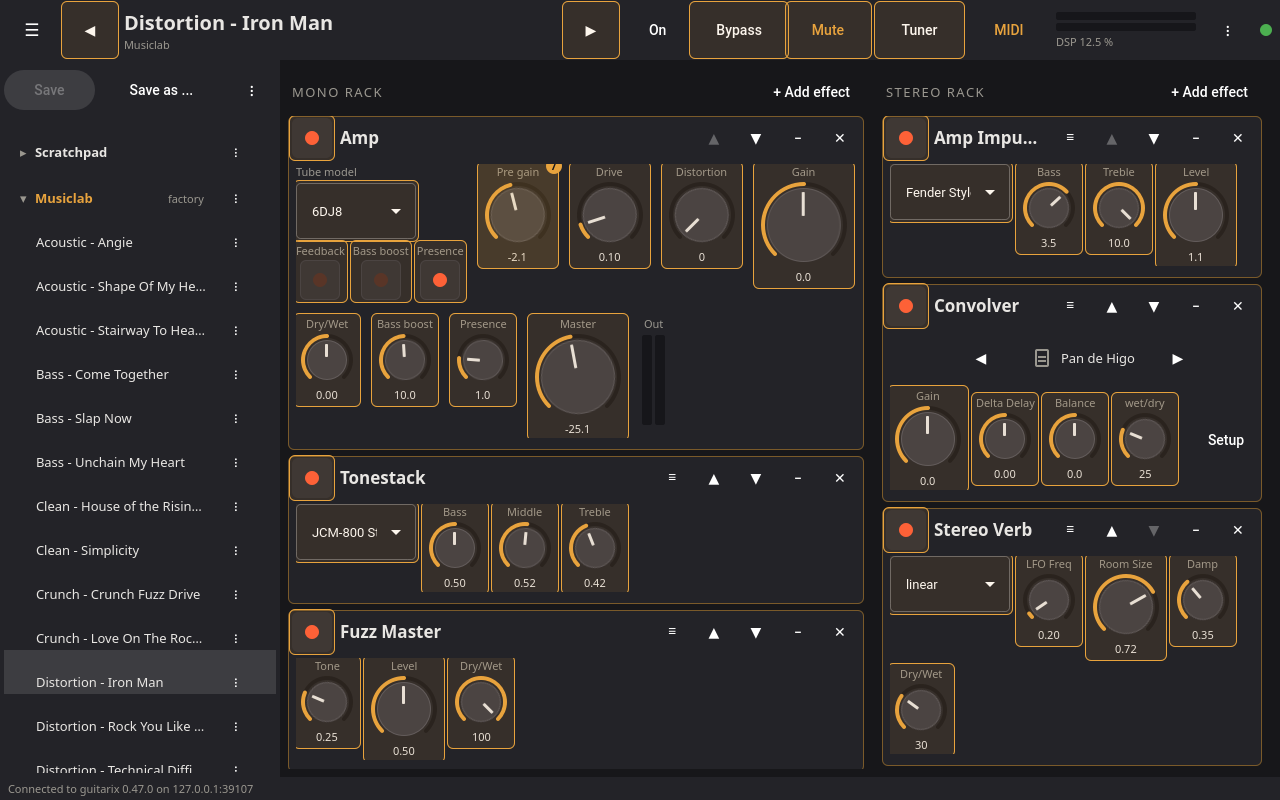
+ Add effect adds a unit at the top of the mono or stereo rack. Each unit has its
power switch, buttons to open its presets (≡), to move it up and down, to
collapse it to a compact view and to remove it. A unit can also be dragged
to another place of its rack by the grip (⠿) at the left of its title bar,
or by holding its title bar for a moment and then dragging; a line shows
where it goes, and the rack scrolls when the unit is held near its top or
bottom. With Then place it by hand switched on in the + Add effect
dialog, an added unit starts in that dragged state: touching the rack moves
it, lifting the finger drops it there, and Keep here leaves it at the
top. Units are shown with
gx_head's arrangement: the Glade layout of the unit when it has one, else
its stack layout, else a generic panel built from the unit's parameters.
GUITARIQX_FORM_STACK=1 uses the stack layouts, like GUITARIX_FORM_STACK
for gx_head.
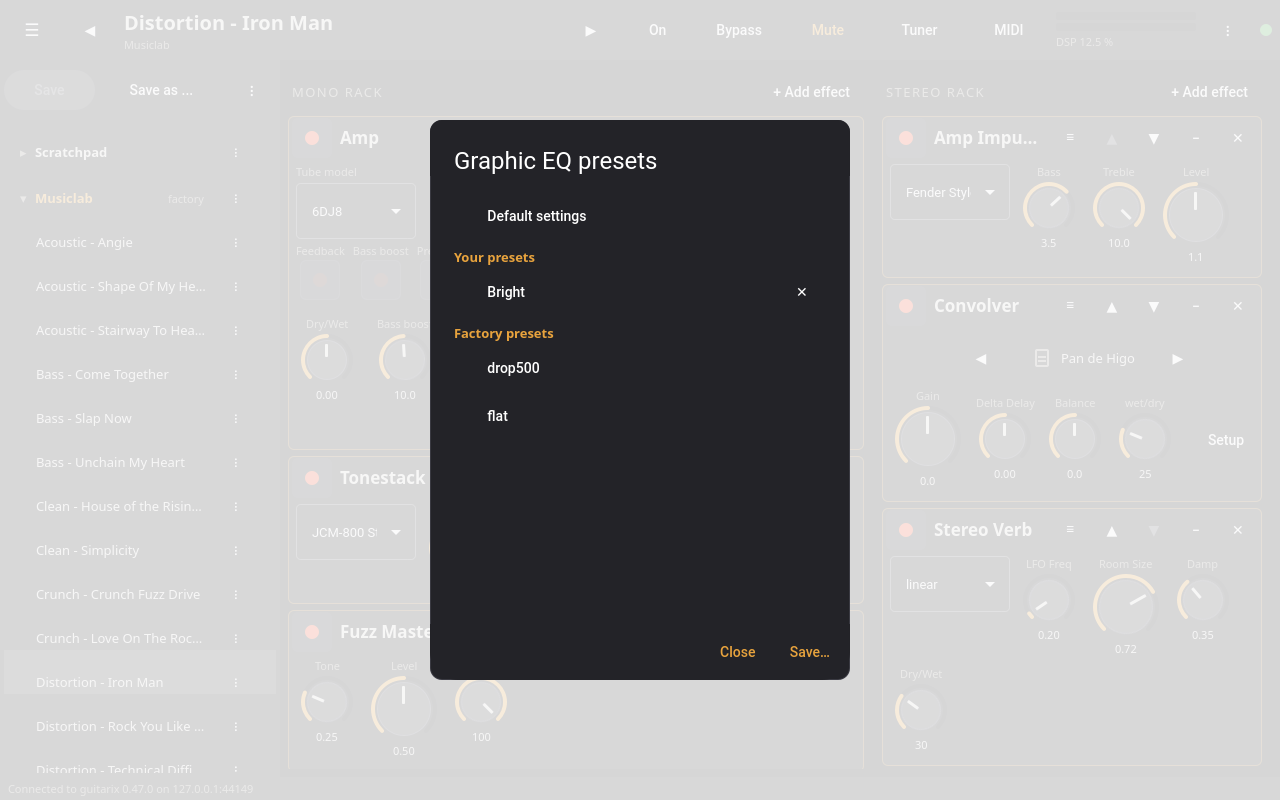
The presets of a unit keep the settings of that unit only, apart from the banks. Tapping one loads it into the unit (the one in use is checked), Default settings gives back the unit's standard values, Save… keeps the unit's current settings under a name, and ✕ removes one of your presets. Factory presets come with guitarix.
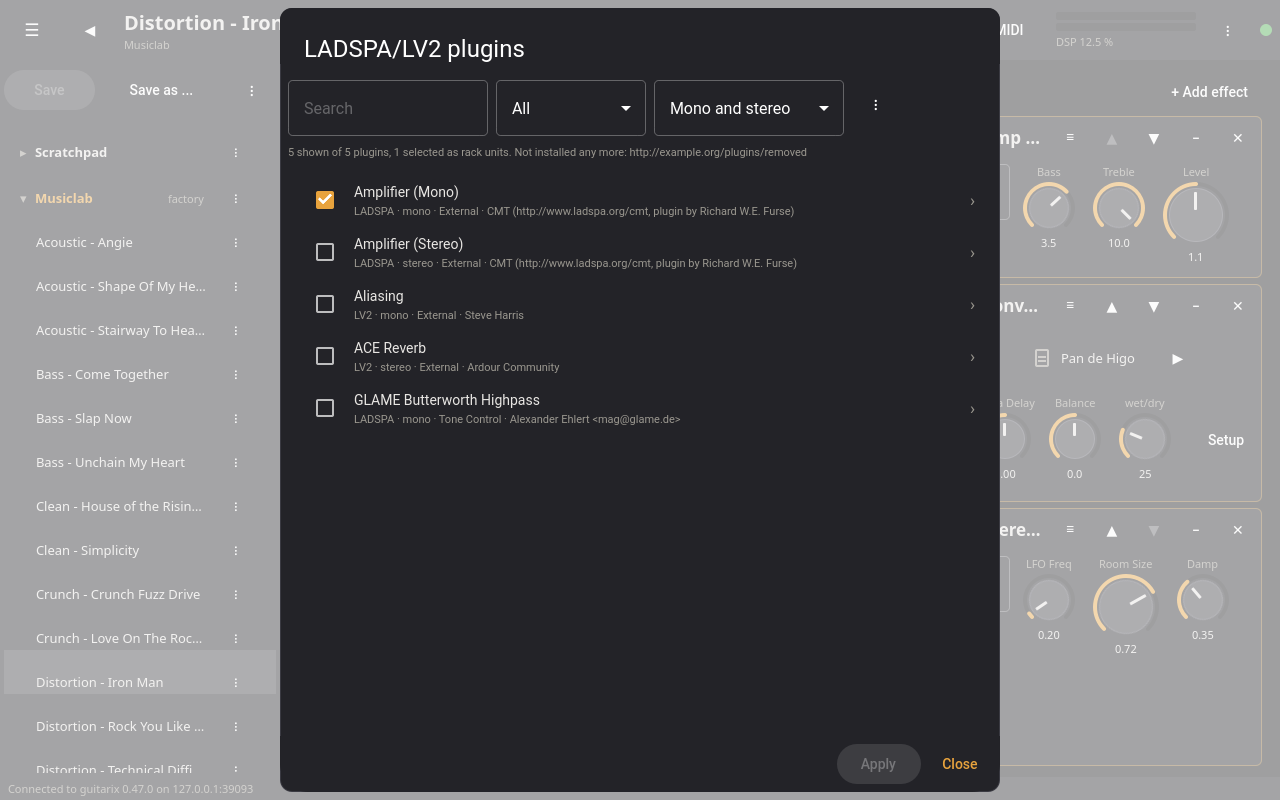
LADSPA/LV2 plugins ... in the menu (⋮) lists the LADSPA and LV2 plugins installed on the engine's computer and chooses which of them can be added to the racks. The list can be searched and filtered (selected plugins, plugins with settings, LADSPA or LV2 only, mono or stereo); ⋮ selects or deselects all the plugins shown. Tapping a plugin shows its settings: its name and category in + Add effect, a control shown as the master slider of the unit, a dry/wet control added by guitarix, and for a stereo plugin Stereo to mono, which makes it a mono rack unit. Factory settings gives back the plugin's defaults. Nothing changes until Apply: the engine then loads the selected plugins, and the units of plugins no longer selected leave the racks (they come back at their place if the plugin is selected again). The list is read when the dialog opens, which takes a moment with many plugins installed.
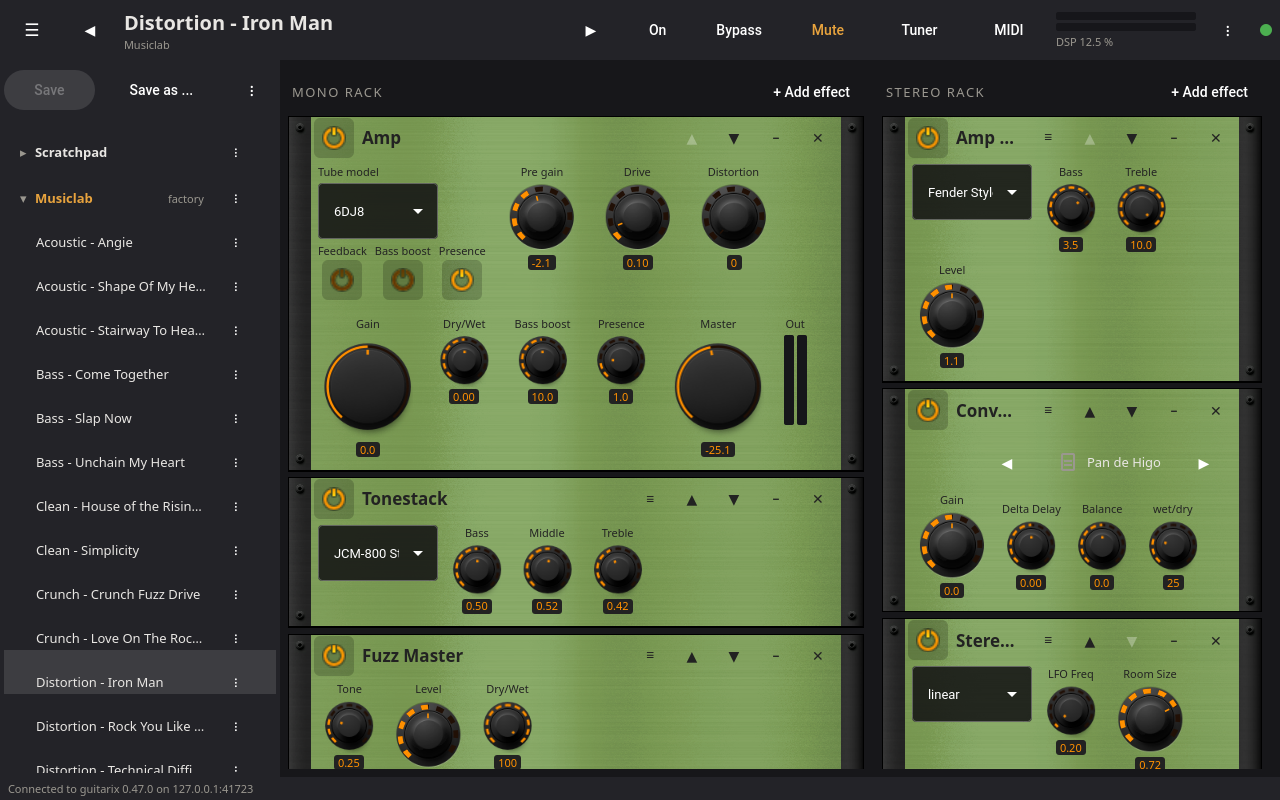
Skin ... in the menu (⋮) switches the rack units between guitariqx's
flat look and gx_head's skins: the skin's background between rack handles,
its knob images with their LED rings, its switch icons and colors. The
Guitarix skin is built into guitariqx; the other skins are those of an
installed guitarix (gx_head/skins in the data directories, e.g.
/usr/share/gx_head/skins), so they are offered only where guitarix is
installed. The choice is remembered.
Special units
Some units have widgets of their own, as in gx_head:
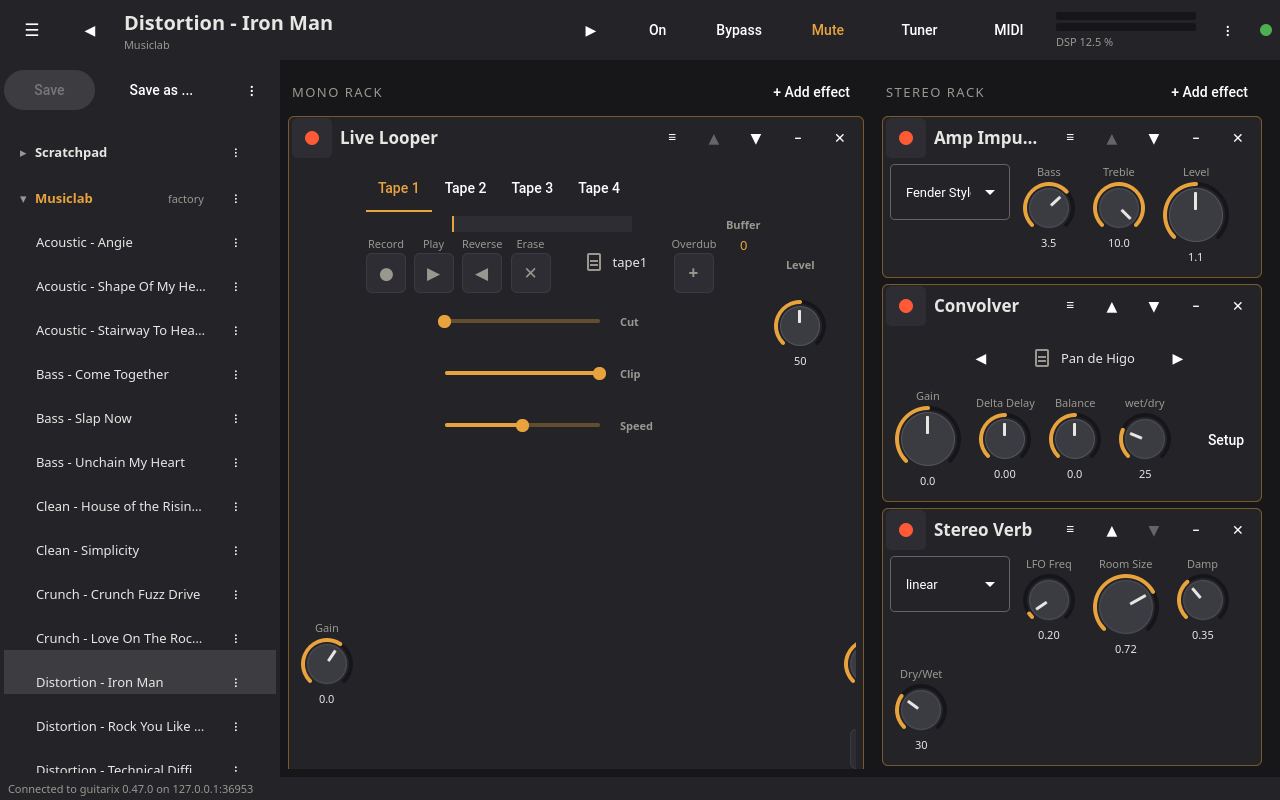
- Live Looper: each tape has record, play, reverse, erase and overdub switches, a file button to import a loop, and the play head over the tape, the part between cut and clip lit. In time with the drums, under the tapes, keeps the loops in time with the drum sequencer when it is in the rack and on: a recording is cut to the nearest whole number of beats, so that it never drifts from the drums, however long it plays. Start recording on a beat while the drums play: guitariqx switches play on with record, and when you stop a little before the end of the last beat the recording goes on until just after it (the status says which beat), then the tape plays from that beat on, in phase with the drums. A recording started or stopped elsewhere (a MIDI controller) is also cut to whole beats, but it keeps the phase only if play was on as it started, and its stop cannot wait for the beat: stopped just before the end of a beat, it loses almost that whole beat. Tap record in guitariqx to have the stop wait for the beat. Leave the tape's speed at 0; changing the tempo afterwards makes the loop drift again (record it again).
- Oscilloscope: the signal at the unit's place in the rack while the unit is on; Buffer sets how many jack periods are shown, Zoom the vertical scale.
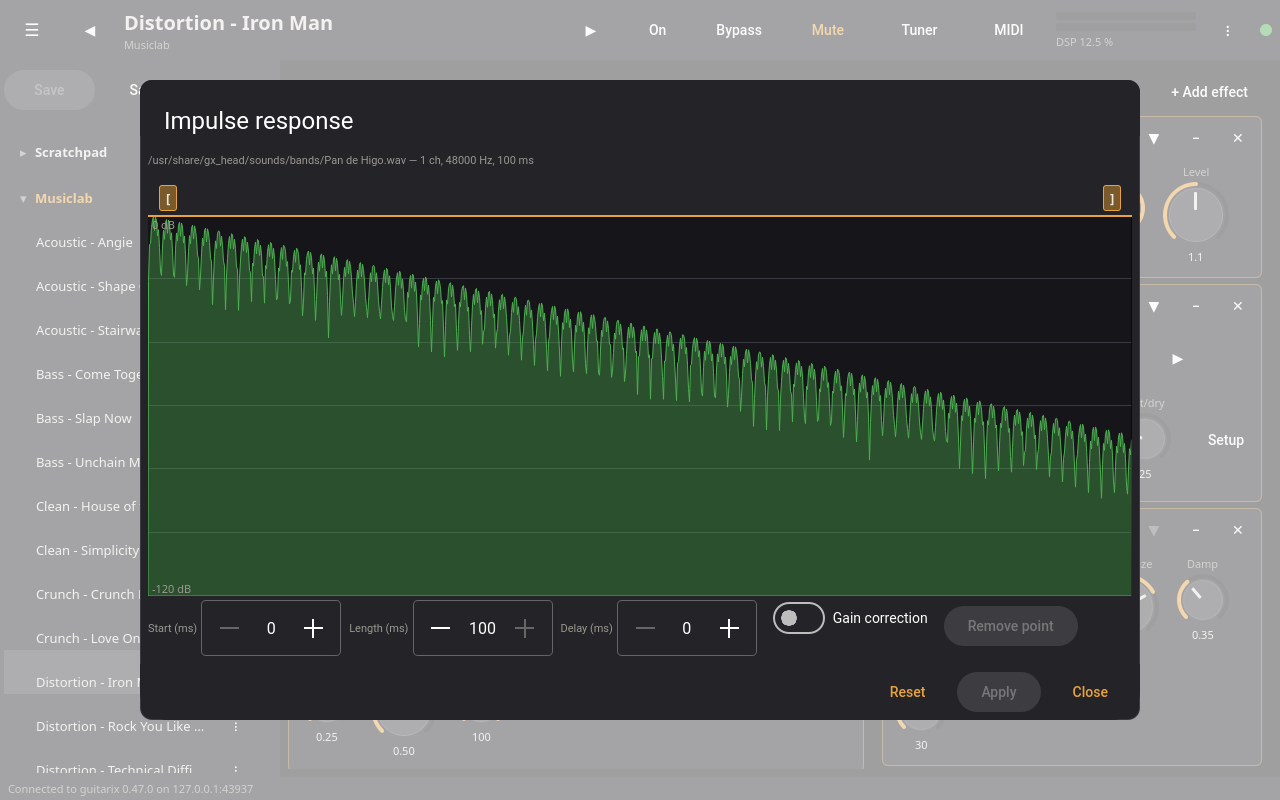
- Convolver (mono and stereo): Setup opens the impulse response editor. It shows the level of the response in dB; the brackets above it (or the Start and Length fields) set the part of the file used, Delay delays it. The yellow gain line shapes the response: tap on the line to add a point, drag points, select one and tap Remove point (or double click it). Gain correction normalizes the level of the result, Reset goes back to the whole file without gain line, Apply sends the changes to the engine.
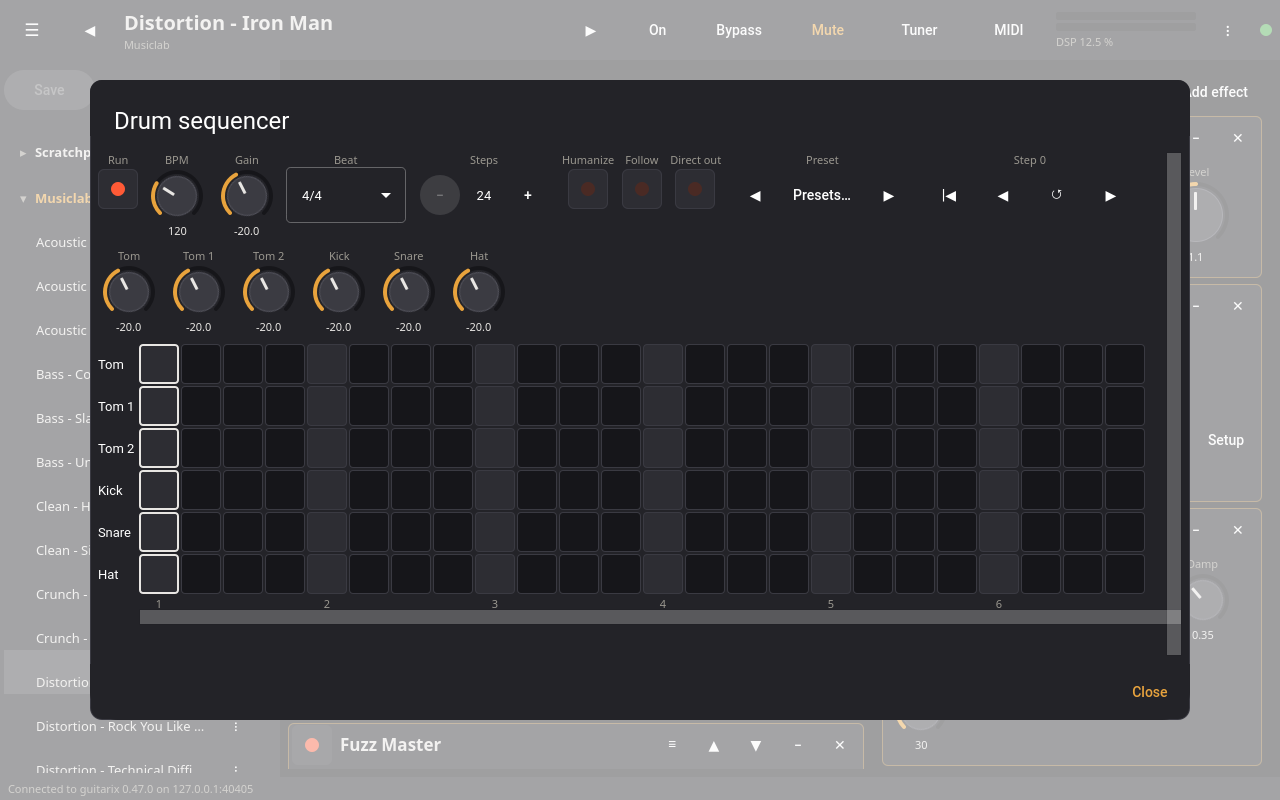
- DrumSequencer: Setup opens the sequencer: one line of steps per drum (tap a step to switch it), the beats lit, tempo, beat, number of steps, the level of each drum, humanize, follow (keeps the play head in view), and buttons to move the stepper (to the start, a beat back, back on the beat, a beat forward). ◀ and ▶ load the previous or next of your presets of the sequencer, Presets… lists them, Generate… asks a language model for a pattern (see Generating drums). guitariqx also follows the sequencer's "Load next/previous unit preset" controls when another client (or a MIDI controller assigned to them in gx_head) sets them.
Files
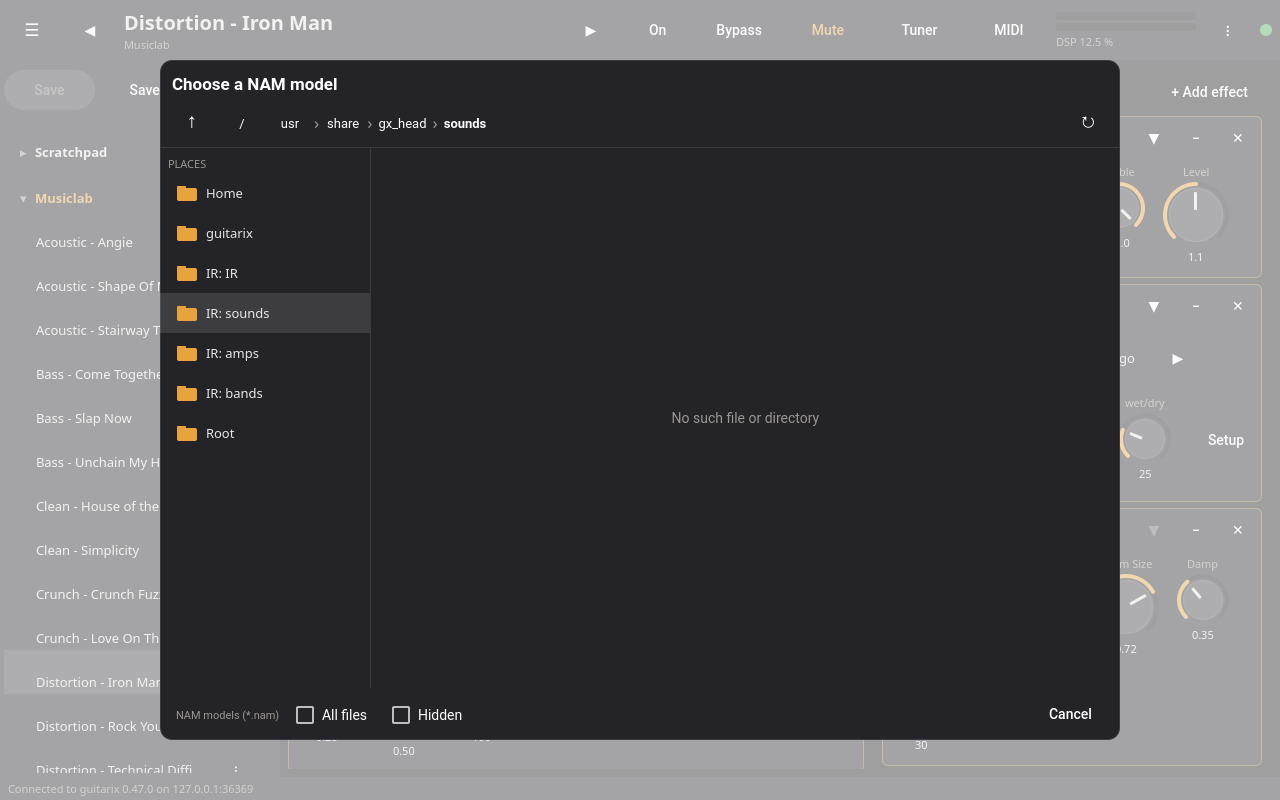
Neural amp models (NAM and RTNeural) and impulse responses of the convolvers are files of the computer the engine runs on. The file chooser opens a folder or loads a file with a single tap; it lists places (home, model and IR folders, USB drives, recent folders) and a clickable path; the arrows next to a file control step through its folder.
guitariqx reads the files directly when it runs on the engine's computer.
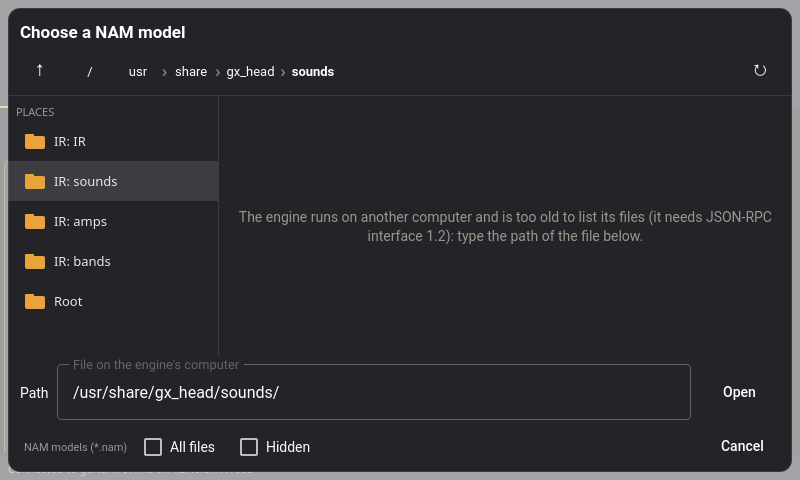
For a remote engine it needs an engine with JSON-RPC interface 1.2, which
adds the list_directory and get_file_places methods. With an older
remote engine (such as guitarix 0.47.0) the file chooser cannot list
folders and asks for the path of the file instead; everything else works.
GUITARIQX_REMOTE_FILES=1 makes guitariqx use the engine's listing even
when the engine is local, for testing.
Tuner
Tuner opens the full window tuner: note, deviation, frequency, the
string tunings of gx_head, temperaments, reference pitch, and mute while
tuning. It follows the engine parameter system.show_tuner, so a MIDI foot
switch assigned to the Tuner button opens and closes it. Mute while tuning
stops the engine while the tuner is shown and restores its state when the
tuner closes, or when guitariqx quits with the tuner open.
Preset by note
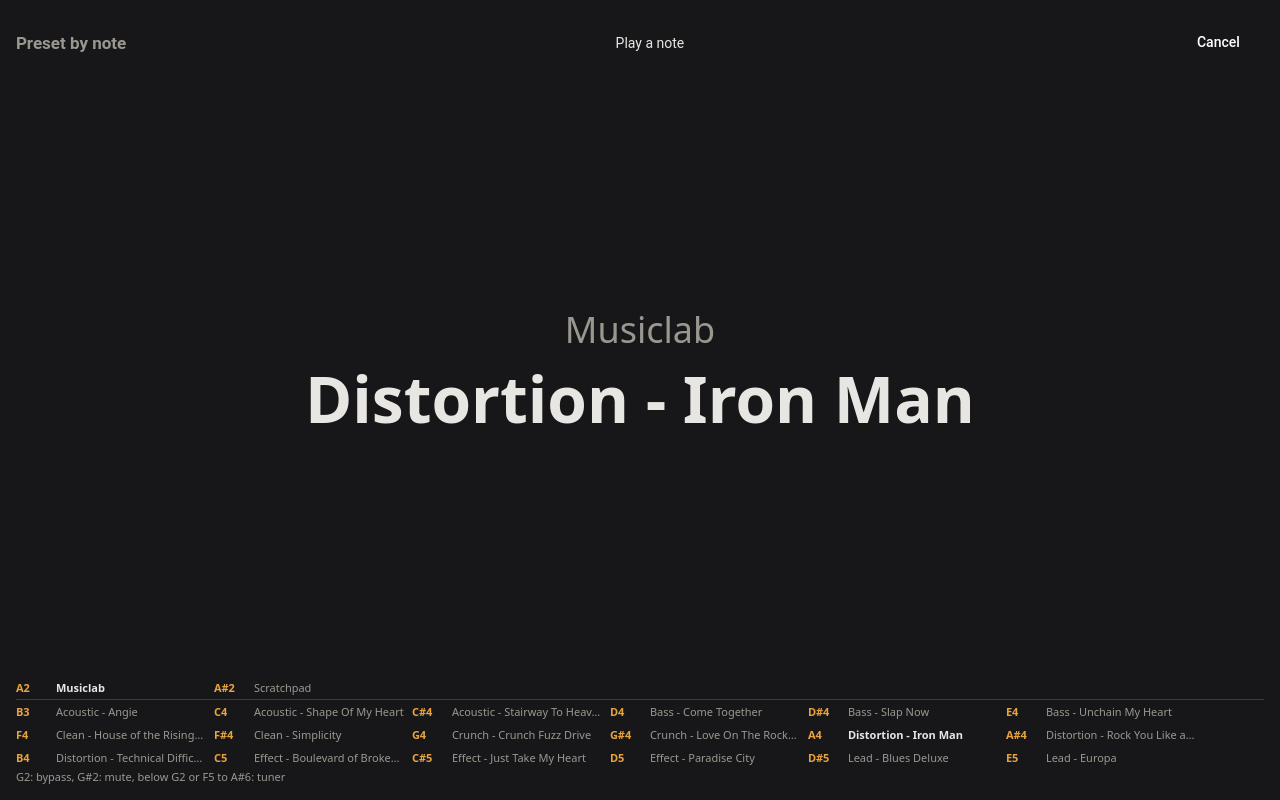
gx_head's Liveplay preset mode: Preset by note ... in the menu, or a MIDI foot switch assigned to it (in learn mode, tap the menu entry), mutes the output and lets the note played on the guitar choose what to load. Mute the strings first, then play:
| notes | |
|---|---|
| A2 to A#3 | a bank, starting from the last one |
| B3 to E5 | preset 1 to 18 of the bank |
| G2 / G#2 | bypass / mute (or back on) |
| below G2, F5 to A#6 | the tuner |
The selection is loaded when the note stops. The view lists which note selects which bank and preset. Pressing the foot switch again, or Cancel, leaves without loading anything; with the tuner shown, the foot switch closes it. The engine does the selection, so the foot switch works without any UI too.
MIDI learn
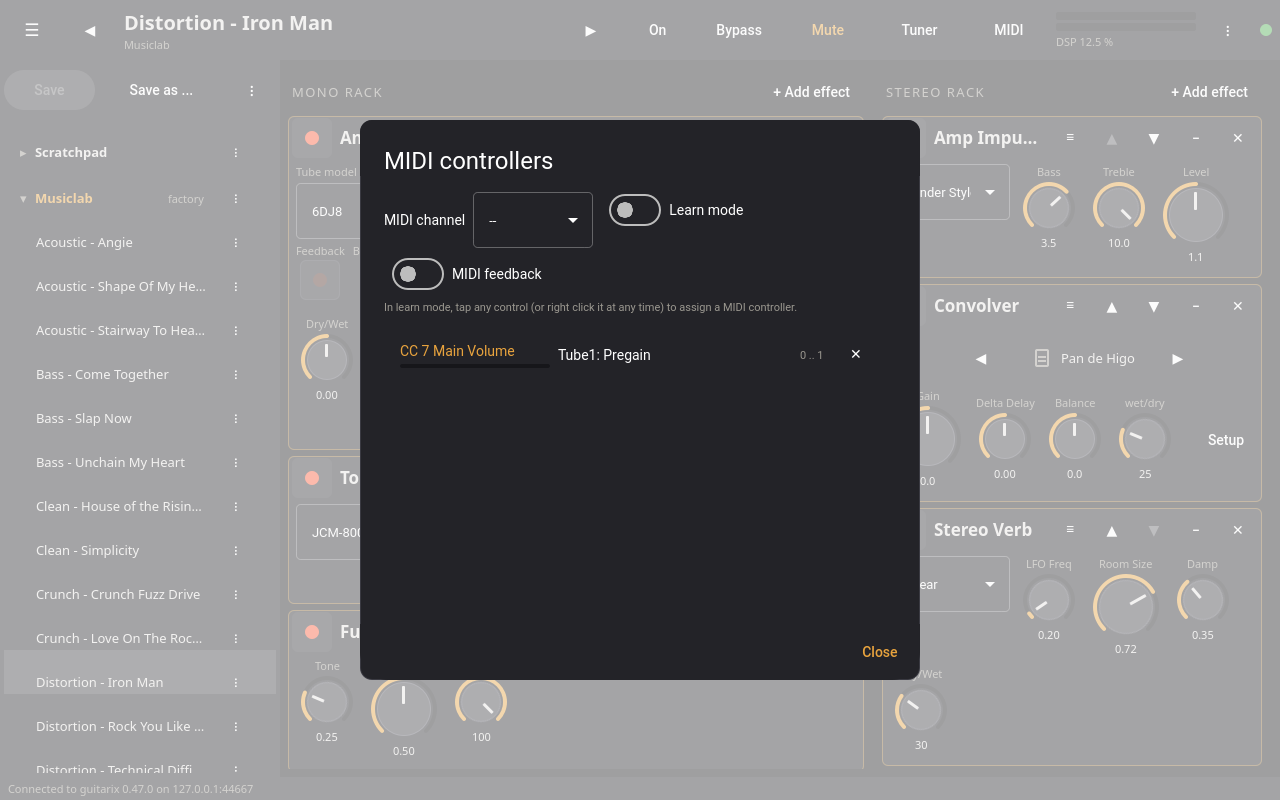
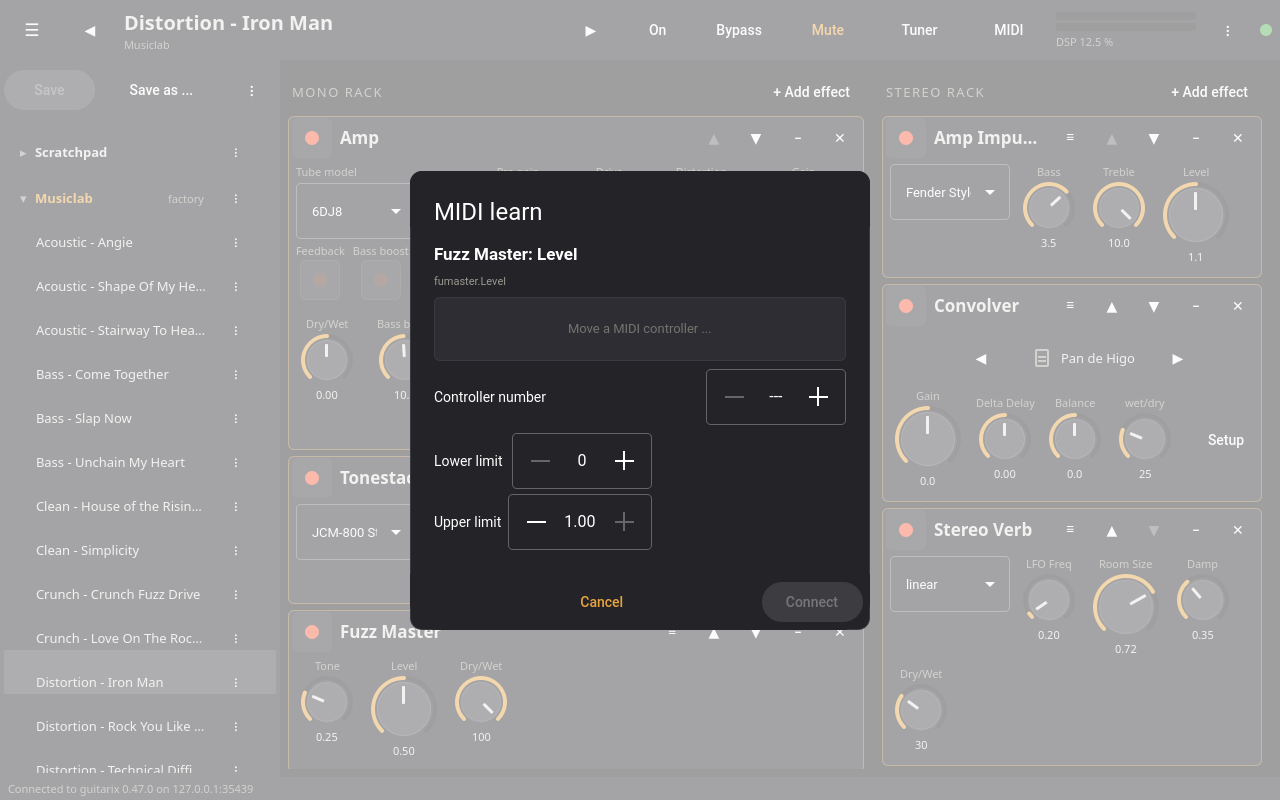
The MIDI button switches learn mode on: a tap on any control (knobs, sliders, switches, selectors, unit power, preset previous/next, bypass, mute, tuner) then opens the learn dialog. A right click opens it at any time.
Move a controller or type its number, set the range (for continuous controls) or the toggle behaviour (for switches), then connect or remove the assignment. A bar shows the value the controller sends, to check that it arrives.
"MIDI controllers" in the menu lists all assignments, with a bar showing the last value each controller sent, and sets the MIDI channel. MIDI feedback makes the engine send the values of the assigned parameters to its MIDI output when a preset loads or a controller changes them, so that controllers with LEDs or motor faders follow (changes made in the UI are not sent).
MIDI in presets, on by default, saves the assignments with each preset and loads them with it, so that each sound can give its own controls to the same pedals. A preset saved without them (the factory presets, presets saved before) keeps the current assignments. Switched off, there is a single set of assignments, kept by the engine whatever the preset. guitariqx sets this option of the engine (gx_head's "Include MIDI in presets", off in the engine) each time it connects.